

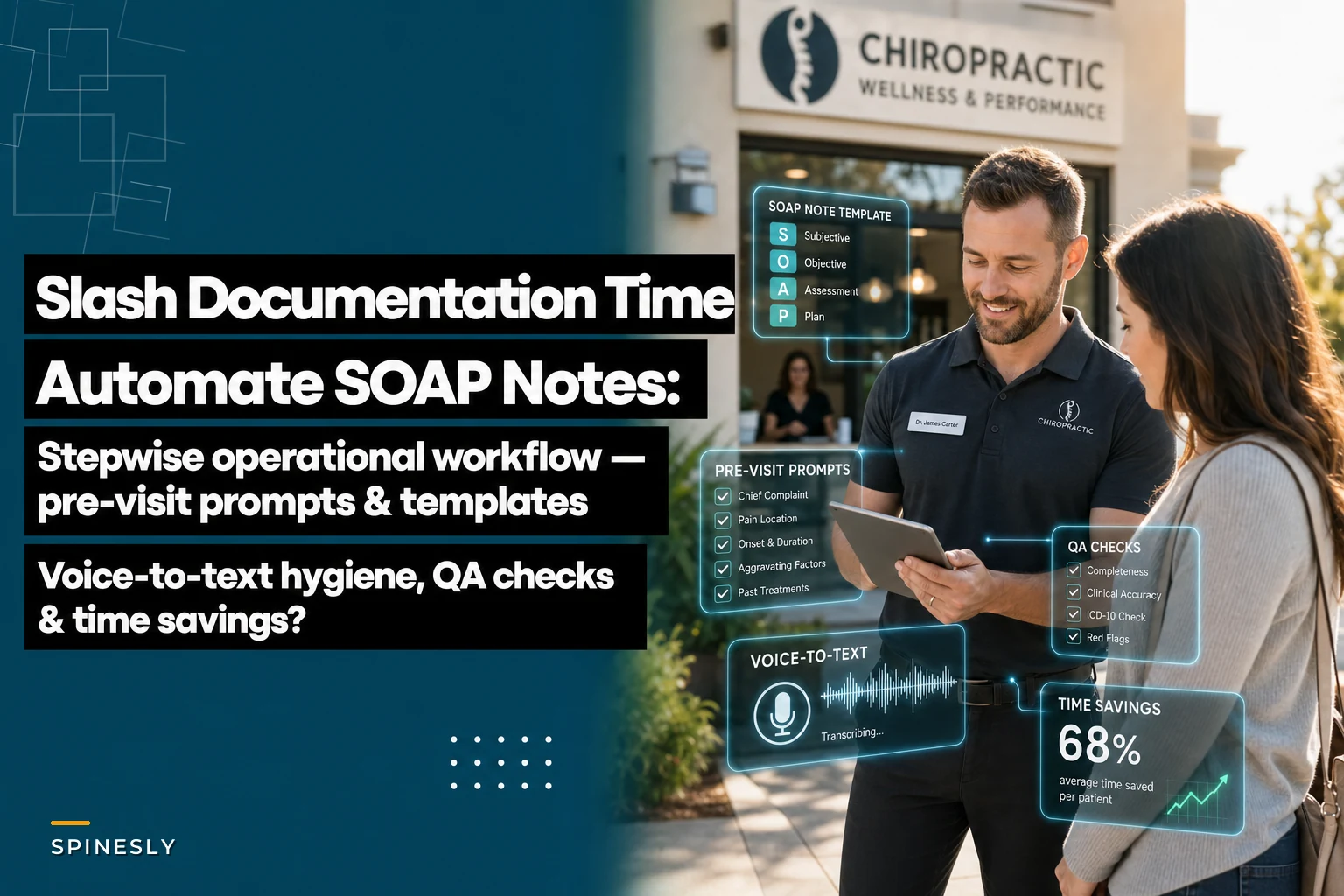

Most chiropractors spend 2-3 hours daily on SOAP notes. That's roughly 15 hours weekly just typing the same phrases, clicking through templates, and playing catch-up between patients. The worst part? Half that documentation gets rushed, incomplete, or done after hours when you'd rather be home.
The operational bottleneck isn't your adjustment technique or patient care—it's the documentation workflow eating into both. Documentation patterns across dozens of chiropractic practices reveal the same workflow failures: pre-visit chaos, inconsistent note structure, compliance gaps, and zero quality control until an audit hits.
What separates efficient practices from those drowning in documentation isn't typing speed or better templates. It's having an actual workflow system that captures information before, during, and after patient visits—with built-in checkpoints that catch problems before they become denials or compliance issues.
Pre-Visit Prompts: The Setup Everyone Skips
The documentation problem starts before patients even walk through your door. Most practices wait until after the adjustment to capture everything, forcing providers to reconstruct details from memory while the next patient waits.
Smart practices flip this. They gather baseline information through pre-visit prompts that patients complete while waiting or even before arriving. Simple questions about current pain levels, what's improved since last visit, new symptoms, and medication changes. This information flows directly into your note template before you even see the patient.
A functional pre-visit prompt looks like this: Morning of appointment text/email: "Hi [Name], ahead of your 2pm visit today, please share:"
-
Current pain level (1-10)
___
-
Main area of concern today
___
-
Any new symptoms since last visit? ___
-
Changes to medications/activities? ___
Patients actually complete these when sent 2-3 hours before appointments. That information becomes the foundation of your SOAP note's subjective section. You're not starting from scratch anymore.
The workflow:
-
Automated prompt sends 3 hours before appointment
-
Patient responses populate draft SOAP note
-
Provider reviews pre-populated info during intake
-
Adjustment and additional observations added
-
Note essentially complete by visit end
Compare that to the typical scramble of trying to remember what Mrs. Johnson said about her shoulder while you're already examining Mr. Chen's lower back. The cognitive load drops significantly when information capture happens at the right moment, not retrospectively.
Structured Templates That Actually Match Your Workflow
Generic SOAP templates fail because they don't match how chiropractic visits actually flow. You're not conducting 45-minute evaluations—you're seeing patients every 10-15 minutes with specific patterns of care.
Never miss another patient appointment.
Spinesly helps you schedule, confirm, and manage every patient visit efficiently.
- Unified appointment management
- Automated patient reminders
- Staff and resource scheduling
No credit card required
The template structure needs to match your actual workflow:
Subjective Section (auto-populated from pre-visit):
-
Pain level comparison (last visit vs today)
-
Primary complaint location
-
Functional improvements/limitations
-
Response to previous adjustment
Objective Section (standardized observations):
-
Palpation findings by region
-
Range of motion limitations
-
Postural observations
-
Specific test results (if performed)
Assessment Section (pattern recognition):
-
Progress toward treatment goals
-
Adjustment response patterns
-
Complicating factors
-
Care plan adherence
Plan Section (next steps):
-
Today's adjustment specifics
-
Home care modifications
-
Next visit focus
-
Re-evaluation timeline
Each section has specific, repeatable data points rather than open text fields. Instead of typing "patient reports improvement," you're selecting from standardized options that maintain consistency across all notes.
A practice seeing 40 patients daily generates around 200 notes weekly. With unstructured templates, that's 200 unique documents with varying detail levels, terminology, and completeness. With structured templates matching your workflow, you get consistent, compliant documentation that takes roughly 90 seconds per patient instead of 4-5 minutes.
Voice-to-Text Integration Done Right
Voice dictation promises to revolutionize documentation but usually creates more problems. Random punctuation, medical term errors, and stream-of-consciousness notes that need heavy editing. The technology works—the workflow doesn't.
Effective voice-to-text documentation requires structure and hygiene rules:
Dictation Hygiene Protocol:
-
Use trigger phrases for sections - "Subjective findings
" [dictate] - "Objective assessment:" [dictate] - "Treatment provided:" [dictate]
-
Speak in complete data points - Wrong
"Back hurts less, some improvement" - Right: "Lower back pain decreased from 7 to 4, patient reports 50% improvement in forward flexion"
-
Include standard markers - Always state
body region, laterality, severity - Always include: specific segments adjusted, technique used - Always note: patient response, planned frequency
-
Review immediately - Quick scan for medical term accuracy - Verify numerical values transcribed correctly - Confirm laterality (left/right) documented properly
The workflow timing matters. Dictate objective findings immediately after palpation while your hands still remember what they felt. Capture patient feedback during the visit, not after. Document adjustments performed right after completion, including specific segments and techniques.
One clinic in Denver tracked their documentation time and found voice-to-text cut initial note creation from 4 minutes to 90 seconds—but only after establishing these protocols. Without structure, their docs spent just as long editing garbled transcriptions as they would have typing from scratch. Dr. Martinez told me, "The first month was a disaster. We were getting notes that said 'sea one through sea five' instead of 'C1 through C5.' Now it works great, but you have to be disciplined about it."
Quality Assurance Checkpoints That Prevent Problems
Documentation errors compound. A missing diagnosis code today becomes a denial next month. An incomplete progress note triggers an audit finding. Inconsistent terminology raises compliance red flags. Most practices discover these problems too late—during billing rejections or audit reviews.
Building QA checkpoints into your workflow catches issues before they cascade:
Daily QA Checkpoint (end of day, 5 minutes):
-
All visits have completed notes?
-
Diagnosis codes match treatment provided?
-
Progress documented for maintenance care patients?
-
Re-evaluation dates noted for approaching limits?
Weekly QA Review (Friday afternoon, 20 minutes):
-
Scan for missing elements in past week's notes
-
Verify treatment frequency matches care plans
-
Check upcoming re-evaluation requirements
-
Review any insurance communication needs
Monthly Deep Dive (first Monday, 45 minutes):
-
Audit 10 random notes for compliance
-
Review denial patterns related to documentation
-
Update templates based on common gaps
-
Adjust workflow for identified problems
A simple QA checklist that prevents most documentation-related denials:
-
[ ] Chief complaint clearly stated
-
[ ] Objective findings support treatment
-
[ ] Assessment links findings to diagnosis
-
[ ] Plan includes frequency and duration
-
[ ] Progress toward goals documented
-
[ ] Medical necessity established
-
[ ] Provider signature and date present
Running this check on even 10% of your notes weekly catches patterns before they affect revenue or compliance.
Compliance Steps Built Into Workflow
Compliance isn't something you add after documentation—it needs to be baked into each step. Most compliance failures happen because providers treat it as separate from clinical documentation rather than integral to it.
Every SOAP note needs these compliance elements:
Initial Visit Documentation:
-
Onset date and mechanism of injury
-
Prior treatment attempts
-
Functional limitations impacting daily activities
-
Specific, measurable treatment goals
-
Expected treatment duration
-
Re-evaluation timeline
Progress Documentation (every 12 visits or 4 weeks):
-
Objective improvements since start of care
-
Percentage of goal achievement
-
Remaining functional deficits
-
Updated treatment frequency rationale
-
Modified goals if needed
Maintenance Care Transitions:
-
Maximum therapeutic benefit achieved
-
Risk factors for regression
-
Preventive care rationale
-
Expected visit frequency
-
Self-care responsibilities
The practices that never worry about audits build these elements into their standard templates. Not as afterthoughts or additional fields, but as core components of every relevant note type.
Dr. Thompson's practice in Colorado reduced their audit stress dramatically by adding simple prompts to their templates:
-
"Days since onset
___"
-
"Activities limited by condition
___"
-
"Measurable improvement since last eval
___"
These prompts ensure compliance elements appear naturally in documentation rather than feeling forced or added retroactively. Though honestly, it took them a few months to get everyone on board consistently using the prompts instead of skipping them when running behind.
Time Savings Breakdown: Where You Actually Win Back Hours
For a practice seeing 35 patients daily:
| Traditional Workflow | Optimized Workflow |
|---|---|
| Gathering subjective info: 2 minutes | Review pre-visit responses: 30 seconds |
| Manual note entry: 4 minutes | Voice dictate objective findings: 45 seconds |
| Finding previous notes for reference: 1 minute | Select standard assessment options: 20 seconds |
| Fixing errors/additions: 2 minutes | Confirm auto-generated plan: 25 seconds |
| Total: Around 9 minutes per patient | Total: Roughly 2 minutes per patient |
-
Traditional
Over 5 hours
-
Optimized
Just over an hour
-
Daily savings
About 4 hours
That's 20 hours weekly returned to patient care, practice growth, or actually leaving on time.
The real savings come from what you prevent:
-
Denied claims from poor documentation
Several thousand monthly
-
Audit penalties from compliance gaps
Ten to thirty thousand per incident
-
Staff overtime fixing documentation
8-10 hours weekly
-
Provider burnout from after-hours charting
immeasurable
The path from documentation chaos to operational efficiency isn't complicated—it just requires committing to a workflow that captures the right information at the right time, with the right structure, and the right quality controls. Everything else is just typing.
Implementation Timeline That Actually Works
Transforming your documentation workflow can't happen overnight. Practices that try to change everything at once end up reverting to old habits within weeks. A realistic rollout:
Week 1-2: Template Standardization
-
Create visit-specific templates
-
Build in compliance prompts
-
Test with 5 patients daily
-
Gather provider feedback
-
Adjust based on actual use
Week 3-4: Pre-Visit Prompt Launch
-
Set up automated patient prompts
-
Train staff on response handling
-
Monitor completion rates
-
Fine-tune timing and questions
Week 5-6: Voice Integration
-
Establish dictation protocols
-
Practice trigger phrases
-
Create correction shortcuts
-
Build review habits
Week 7-8: QA Checkpoint Rhythm
-
Implement daily quick checks
-
Schedule weekly reviews
-
Assign QA responsibilities
-
Track error patterns
Week 9-10: Full Workflow Optimization
-
Connect all pieces
-
Measure time savings
-
Calculate ROI
-
Plan ongoing improvements
The practices that successfully transform documentation approach it as operational improvement, not technology implementation. The tools enable the workflow—they don't define it.
Here's a visual of the rollout process to keep teams aligned:
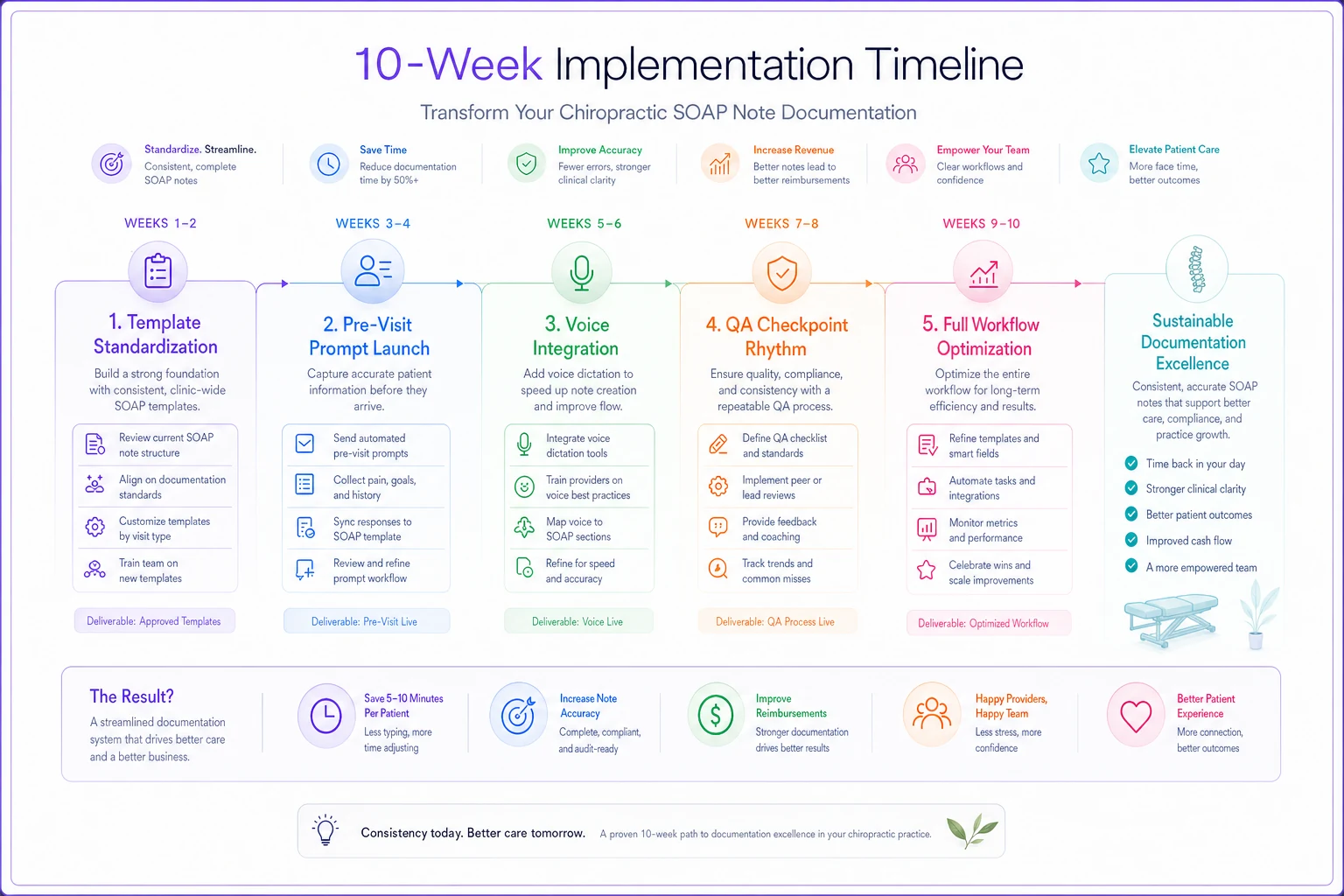
Use this as a checklist during your first 10 weeks to keep momentum and measure small wins.
When This Approach Makes Sense (And When It Doesn't)
This systematic documentation workflow serves specific practice types well:
Perfect fit for:
-
High-volume practices (30+ patients daily)
-
Multiple provider clinics
-
Practices accepting insurance
-
Those facing compliance scrutiny
-
Clinics with documentation backlogs
Wrong solution for:
-
Cash-only practices with minimal documentation requirements
-
Single provider seeing fewer than 15 patients daily
-
Practices with established, working systems
-
Those using fully integrated EHR with automation
If providers regularly stay late doing notes, if denials link to documentation issues, if audit anxiety keeps you awake—this workflow transformation pays for itself within months. But if your current system works and you're not bleeding time or money, don't fix what isn't broken.
AI-Powered Operational Software Changes the Game
Modern operational software designed for chiropractic practices can automate SOAP notes through intelligent workflows rather than just faster typing. These platforms connect pre-visit data collection, visit documentation, and compliance checking into one seamless flow.
The intelligence comes from understanding patterns. After documenting hundreds of similar cases, the system learns your standard findings, typical treatment progressions, and common assessment patterns. It suggests the most likely entries based on the patient's history and today's inputs, while still allowing full provider control.
More importantly, AI-powered systems catch the gaps humans miss. They flag when progress notes don't show improvement for patients approaching visit limits. They identify missing medical necessity documentation before claims get submitted. They ensure consistency in terminology across all providers in your practice.
The automation extends beyond individual notes. These platforms analyze your entire documentation pattern, identifying where your workflow breaks down, which providers need support, and what compliance risks exist across your practice.
But the real value isn't the AI itself—it's how AI automation eliminates the friction that makes documentation painful. Providers document better when it's easier. Compliance improves when it's built into workflow. Quality increases when checkpoints happen automatically.
Your Next Monday Morning
Documentation problems don't fix themselves. Every week you delay implementing a better workflow means another 20 hours lost to inefficient note-taking, another batch of claims at risk for denial, another step closer to compliance issues.
Start with one change next Monday. Pick the biggest pain point—maybe it's the scramble to remember subjective complaints, or the inconsistent templates causing denials, or the lack of QA letting errors compound. Fix that one workflow first. Feel the difference it makes. Then tackle the next piece.
The practices thriving despite increasing documentation demands didn't find magical solutions. They built operational workflows that turn documentation from a burden into a systematic, efficient process. They stopped treating SOAP notes as necessary evils and started seeing them as operational data that, when captured correctly, actually improves patient care and practice performance.
Your documentation workflow is either helping you grow or holding you back. The four hours you save daily on notes becomes time for patient education, practice development, or actually having a life outside the clinic. The compliance built into your workflow becomes confidence during audits. The consistency across all notes becomes fewer denials and faster payments.
The path from documentation chaos to operational efficiency isn't complicated—it just requires committing to a workflow that captures the right information at the right time, with the right structure, and the right quality controls. Everything else is just typing.
Ready to streamline your chiropractic clinic operations?
Join 1,200+ clinics using Spinesly to save time, reduce scheduling errors, and improve patient care experiences.