

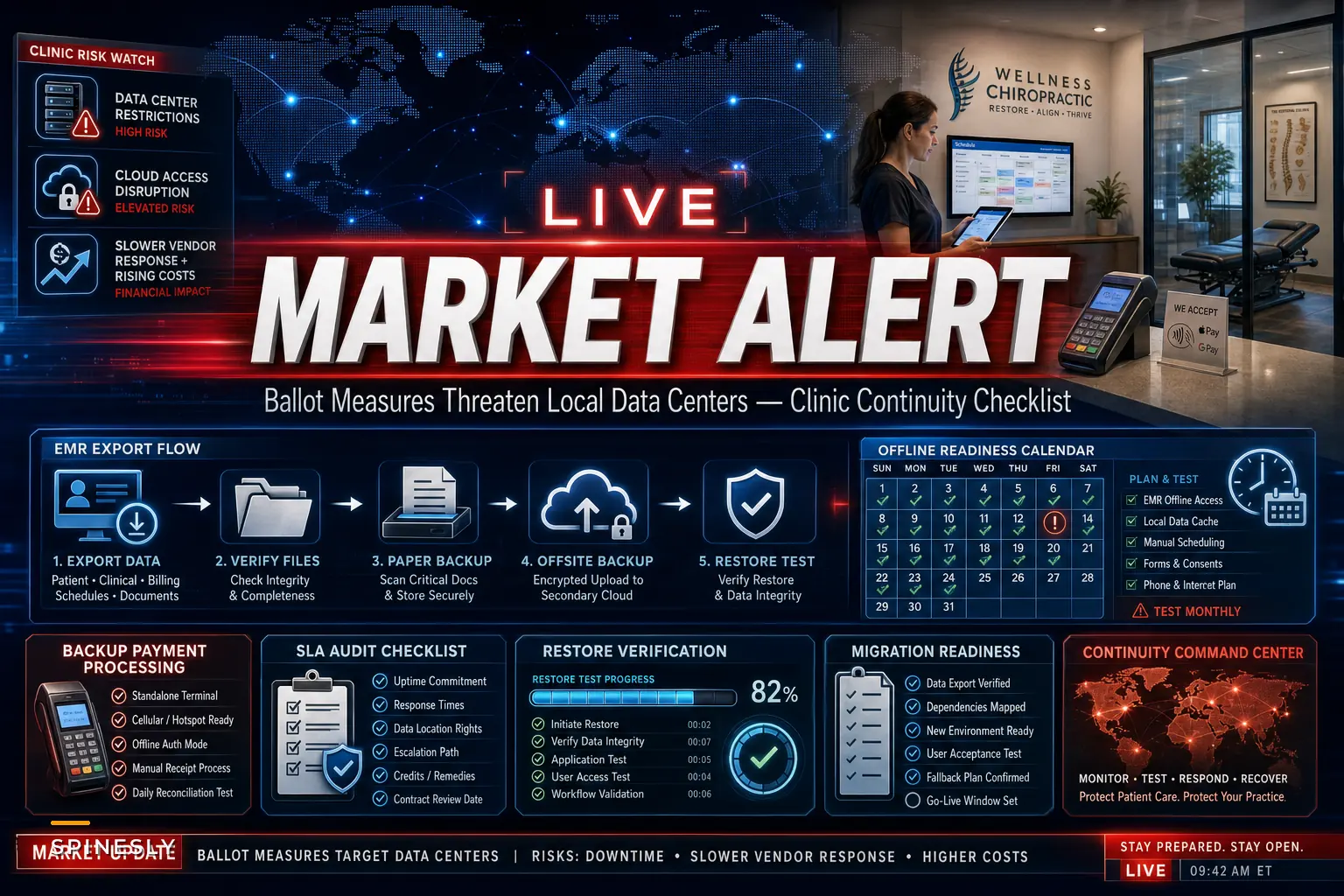

Most clinic owners never think about where their practice-management software actually lives. Not in your office — in a building somewhere, a data center in a town you've probably never heard of, running on an electrical grid you have zero control over. And right now, a lot of those towns are pushing back.
A recent Reuters report covered a wave of local ballot measures across several U.S. states proposing delays, moratoria, or new restrictions on data-center construction — mostly driven by concerns about electricity and water use. Ballotpedia has been tracking the full list of these measures, and the number is bigger than most people realize.
None of this will shut down your cloud software tomorrow. That's not the point. What it exposes is that your clinic runs on infrastructure you don't own, priced by economics you don't control, and you've probably never tested what happens if any of it hiccups. That's the actual problem worth paying attention to.
Why this is a clinic problem and not just a tech-industry problem
Slower data-center buildouts and higher operating costs don't stop with cloud providers — they flow downstream. When hosting gets more expensive or capacity gets tighter in certain regions, vendors absorb that pressure first, and then it finds its way to you.
-
A quiet price increase at renewal, framed as "infrastructure costs"
-
Slower performance during peak hours because a region is capacity-constrained
-
Your vendor migrating your data to a different region without much notice
-
Longer support response times when something breaks
Almost nobody running a cloud-based practice has a real plan for even a short outage, let alone a structural shift in how their vendor operates.
A clinic that loses access to scheduling and billing for four hours on a busy Tuesday isn't just inconvenienced — front desk can't check patients in, providers can't pull notes, cards can't be run. It's a rough day fast.
The ballot measures are the headline. The underlying exposure has been sitting there the whole time.
The real problem: you've outsourced continuity without knowing it
When you signed up for a cloud practice-management platform, you handed over three things you probably never thought about:
Never miss another patient appointment.
Spinesly helps you schedule, confirm, and manage every patient visit efficiently.
- Unified appointment management
- Automated patient reminders
- Staff and resource scheduling
No credit card required
-
Where your data physically lives
-
How quickly you could get it back if you needed to leave
-
What happens to scheduling and payments if the vendor goes dark
Most clinics can't answer any of those confidently. That's not a criticism — the entire pitch of cloud software is that you don't have to think about it. The tradeoff is that when the ground shifts underneath the vendor, you have very few levers to pull.
The difference between a clinic that rides out a disruption and one that panics usually comes down to boring prep work done months earlier. Backups that were actually tested. An export routine someone ran once just to confirm it worked. A payment processor that isn't single-threaded through one gateway.
A continuity checklist you can actually work through
Don't try to do all of this in one sitting. Pick a slow afternoon and knock out a few items at a time.
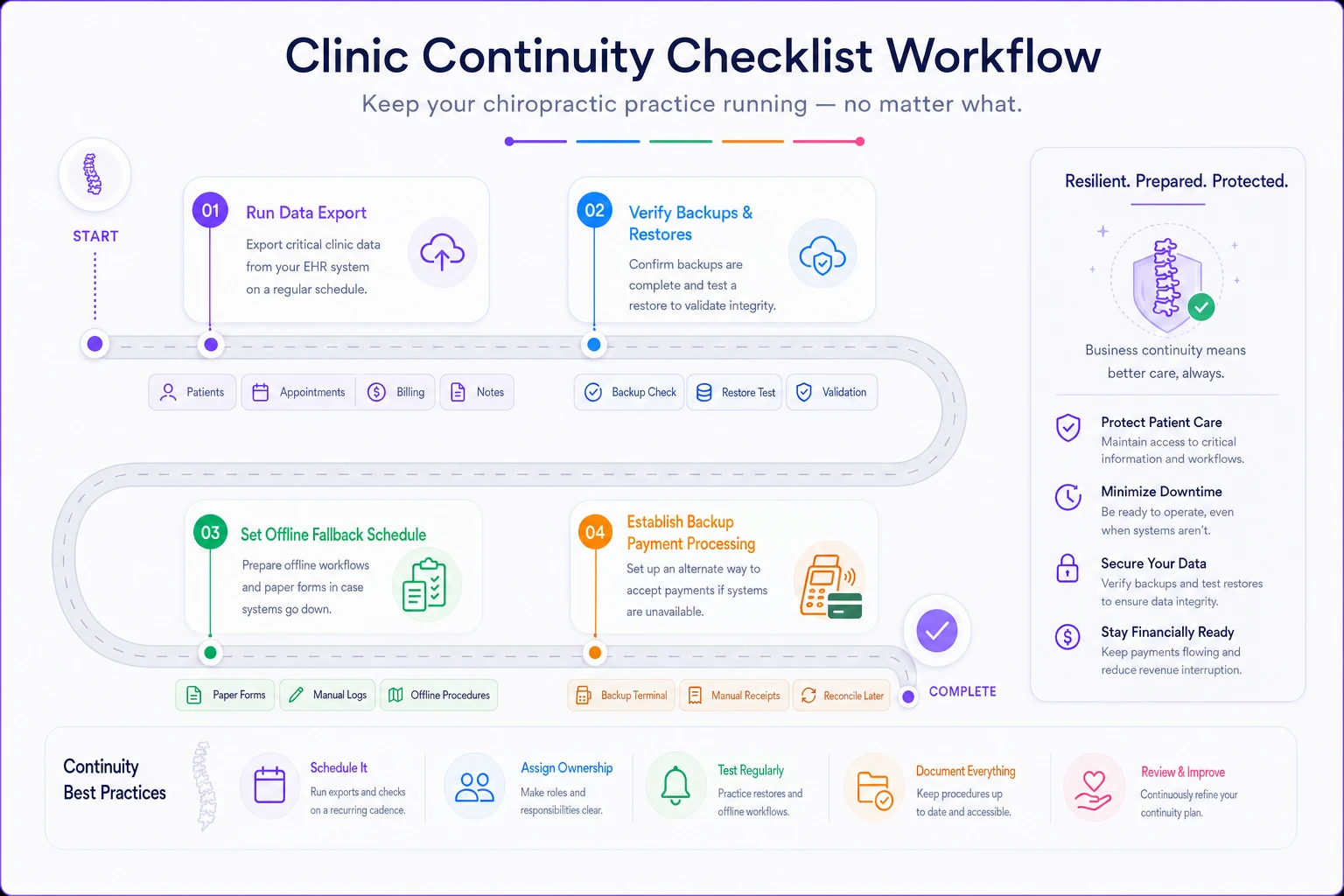
Here's a simple workflow to follow.
Vendor and contract review
-
[ ] Find your SLA and read the uptime guarantee (and what you're owed if they miss it — usually it's underwhelming)
-
[ ] Confirm whether your vendor discloses which region or data center hosts your data
-
[ ] Check your contract for notice requirements if they change infrastructure or pricing
-
[ ] Note your renewal date and whether price increases are capped
Data access and portability
-
[ ] Run a full data export right now and actually open the files
-
[ ] Confirm you can export patient records, appointment history, and billing data separately
-
[ ] Check what format exports come in (clean CSV is good; a locked proprietary format is a red flag)
-
[ ] Document the exact steps so a front-desk staffer could do it without you
Backups
-
[ ] Verify backups are happening and confirm the frequency
-
[ ] Test a restore — or at minimum confirm the vendor can prove they've done one
-
[ ] Keep one recent export stored somewhere outside the vendor's ecosystem
Keep one recent export stored somewhere outside the vendor's ecosystem.
Payment processing
-
[ ] Identify whether your payment processor is tied directly into your PM system or separate
-
[ ] Confirm you have a backup way to run cards if the primary path is down (a standalone terminal counts)
-
[ ] Know how card-on-file data would transfer if you ever switched processors
Offline fallback
-
[ ] Have a printable day-of schedule routine so the front desk isn't blind during an outage
-
[ ] Keep a simple paper or spreadsheet intake process ready for emergencies
The goal isn't paranoia — it's knowing exactly where you stand.
A quick way to grade your vendor's exposure
Not all cloud setups carry the same risk. This rough framework helps you figure out where your clinic actually stands.
| Factor | Lower Risk | Higher Risk |
|---|---|---|
| Data export | Self-service, clean CSV, anytime | Must request from support, proprietary format |
| Hosting transparency | Vendor tells you the region | "We don't disclose that" |
| Backup proof | Documented restore testing | "Trust us, it's backed up" |
| Payment setup | Processor separable from PM system | Fully locked into one integrated gateway |
| Contract terms | Capped increases, clear exit | Auto-renew, vague change clauses |
| SLA | Real credits, defined uptime | No meaningful remedy |
If most of your answers land in the right column, you're not in crisis — but you've got homework. The clinics that get burned are almost always sitting entirely in that column, assuming none of it would ever matter.
A realistic scenario
Take a two-provider clinic running roughly 320–360 visits a month, fully cloud-based, with payments running through the same platform as scheduling. Their vendor pushed a renewal with around a 14% price increase, citing "rising infrastructure costs." The owner's first instinct was to just absorb it — switching felt too risky because nobody actually knew if the data would come out clean.
When they finally ran a test export, appointment history came out fine. Billing notes came out in a format that would've been nearly useless in a migration. That discovery alone changed the entire conversation. Instead of being cornered at renewal, they had six months to negotiate, document a clean export path, and set up a standalone card terminal as a fallback.
The dollar savings were modest — a few hundred a month off renewal. The real win was going from completely dependent to able to leave if they had to. That shift in leverage matters more than the line-item savings.
When switching vendors actually makes sense — and when it doesn't
It makes sense when:
-
Your export tests reveal you can't cleanly get your data out
-
Price increases are outpacing the value you're getting
-
The vendor can't or won't answer basic continuity questions
-
You're already unhappy with support and this is the push you needed
It's a bad idea when:
-
You're reacting purely to headlines with no actual service problem
-
You haven't tested your current export routine yet (fix that first)
-
It's your busiest season — migrations during high volume are how clinics lose data and patients
Any clinic whose current vendor passes the export test, discloses hosting, and has reasonable contract terms should be monitoring and preparing — not switching. Moving platforms carries its own real risks, and doing it reactively usually creates more problems than the original worry.
If you do decide the long-term fit isn't there, treat it as a deliberate project rather than a fire drill. Our guide to evaluating practice-management software for migration and vendor compatibility walks through the data-portability questions that matter most, so you're not learning them mid-crisis.
The underlying habit worth building
The data-center ballot measures will resolve one way or another, and most clinics probably won't feel a direct effect this year. But the exposure they revealed isn't going anywhere. Cloud infrastructure costs, capacity, and regional availability will keep shifting — and the clinics that stay calm through it are almost always the ones that did the unglamorous prep work beforehand.
Test your export. Know where your data lives. Have a backup way to run cards. Document the steps so it doesn't all live in one person's head.
None of it is exciting, and none of it will move your revenue next month. But it's the kind of thing that quietly pays off the first time something actually goes sideways with a vendor — and that difference tends to show up exactly when you can least afford the chaos.
Ready to streamline your chiropractic clinic operations?
Join 1,200+ clinics using Spinesly to save time, reduce scheduling errors, and improve patient care experiences.