

Most chiropractic clinics don't get hacked because someone targeted them specifically. They get hit because they're small, running on a mix of an EHR, a scheduling tool, a payment processor, and a handful of staff Gmail accounts — and nobody actually owns the security piece. Ransomware crews and phishing kits don't care that you have four employees. They care that your front desk clicks links, your practice management login reuses a password, and your backups haven't been tested since you installed them.
The tricky part isn't the attack itself. It's the hours right after you realize something is wrong. That's when clinics either contain the damage or accidentally make it worse — wiping a machine forensics needed, tipping off the attacker, or notifying patients before they actually understand what happened.
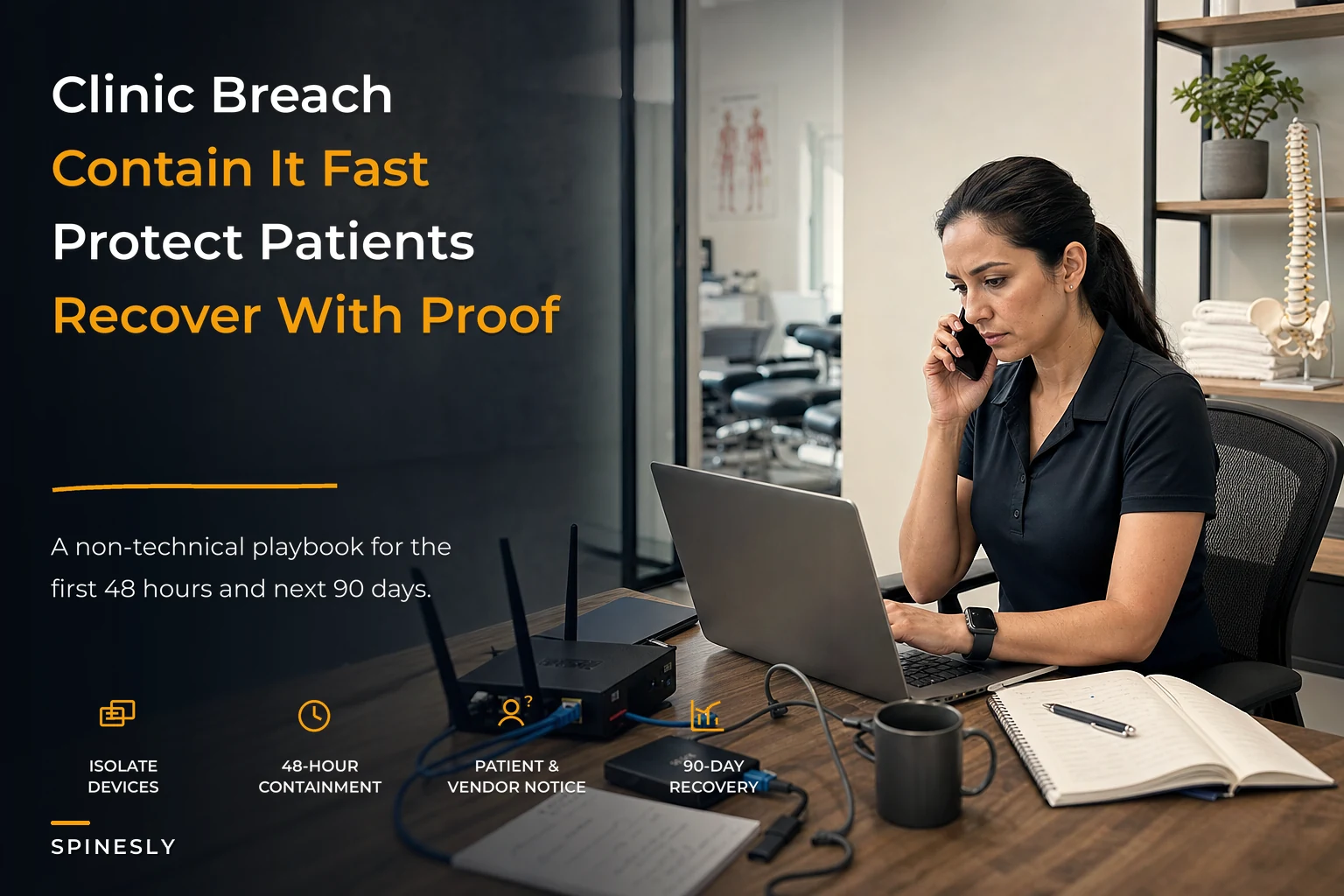
This is a practical clinic cybersecurity incident response playbook built around three time horizons: the first 48 hours (containment), the next 90 days (recovery, notification, legal), and an ongoing monthly cadence that keeps you from going through the whole thing again next year. No jargon. Just what to do, in what order, and who does it.
Why small clinics break during an incident (not before it)
Clinics don't fail at security because they lack firewalls. They fail because nobody has decided in advance who does what when something goes wrong. The systems are usually more secure than the response.
A typical scenario looks like this: a receptionist notices the scheduling software throwing weird errors, mentions it to the office manager an hour later, who assumes it's a glitch and reboots the server. Meanwhile the EHR is quietly encrypting. By the time the owner hears about it — end of day — the ransomware has spread to the backup drive plugged into the same network. That's not a technology failure. That's a coordination failure.
-
Detection is slow because staff don't know what "wrong" looks like, or who to tell.
-
The first reaction is instinct, and instinct (reboot it, delete it, unplug everything) often destroys evidence or spreads the problem.
-
Nobody knows the notification clock has already started ticking under HIPAA breach rules.
Clinics that handle incidents well aren't more technical. They just decided the roles ahead of time.
The First 48 Hours: Containment Without Making It Worse
The goal in the first two days is simple: stop the bleeding, preserve evidence, and don't guess. You're not trying to fix everything. You're trying to isolate the problem and buy time for people who know what they're doing.
Never miss another patient appointment.
Spinesly helps you schedule, confirm, and manage every patient visit efficiently.
- Unified appointment management
- Automated patient reminders
- Staff and resource scheduling
No credit card required
Immediate containment steps (in order)
-
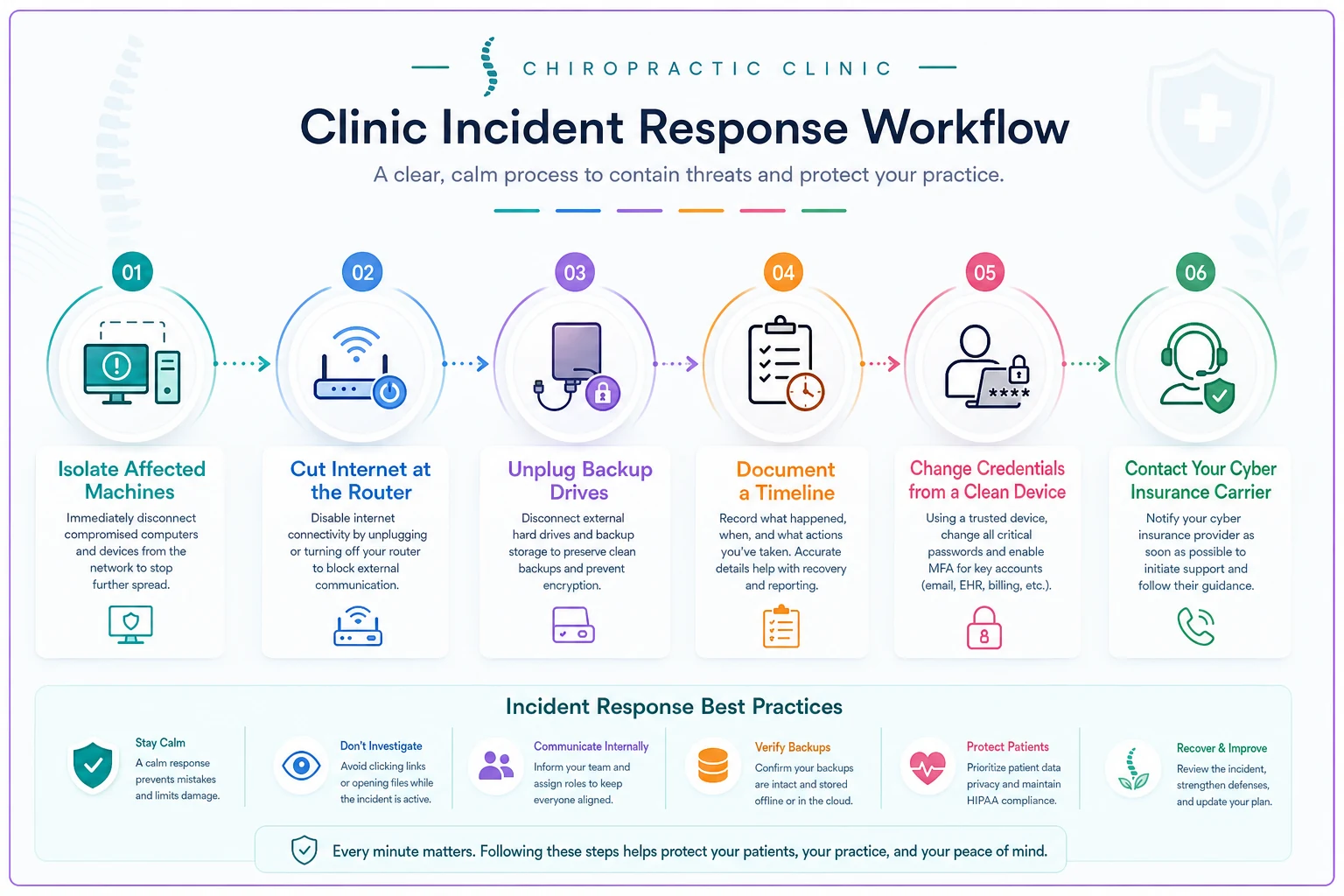
Isolate, don't power off. Disconnect affected machines from the network — unplug the ethernet cable, turn off Wi-Fi on that device. Do not shut it down or wipe it. Powering off can destroy forensic data sitting in memory, and wiping destroys evidence you'll need to prove scope later.
-
Cut off the spread. If you're not sure how far it's gone, disconnect the whole network from the internet at the router. Yes, this takes you offline. A clinic offline for a day beats a clinic breached for a month.
-
Preserve the backups. If a backup drive is physically connected, unplug it now before anything reaches it. Do not run new backups over the good ones. This one action saves more clinics than anything else on this list.
-
Write down the timeline. Start a plain document
what was noticed, when, by whom, and every action taken since. Timestamps matter enormously later for legal and insurance purposes.
-
Change credentials from a clean device. Reset passwords for your EHR, email, and payment processor — but do it from a phone or laptop you know isn't compromised, not the infected machine.
-
Call your cyber insurance carrier. Most policies require fast notification, and many provide a breach coach and forensic team as part of coverage. Calling them before you hire your own vendor can protect your reimbursement.
Here's a quick visual workflow of the containment sequence you should follow when an incident is detected.
Keep a printed vendor sheet and offline contact list accessible when the network is down.
Who does what — assign this now, not during the fire
| Role | Who typically fills it | Responsibility during first 48h |
|---|---|---|
| Incident Lead | Owner or office manager | Makes decisions, keeps the timeline, single point of contact |
| Tech Contact | Your MSP or IT vendor | Isolation, forensic preservation, technical assessment |
| Communications | Owner or senior staff | Talks to staff, drafts patient messaging (holds until cleared) |
| Compliance | Owner or compliance officer | Tracks HIPAA notification clock, documents everything |
| Insurance Liaison | Owner | Calls carrier, coordinates breach coach |
In a four-person clinic, one person wears two or three of these hats. That's fine. What's not fine is discovering during the incident that nobody knows they own the notification clock.
Forensic Triage: When to Call in Experts vs. Handle It Internally
Not every incident needs a forensics firm. A single phishing email that got caught before anyone entered credentials is a completely different situation than encrypted patient records. Knowing the trigger line keeps you from overspending on small stuff and underreacting to big stuff.
Call forensics immediately if any of these are true:
-
Patient records (PHI) may have been accessed, copied, or encrypted
-
You see a ransom note or files renamed with strange extensions
-
Money moved — fraudulent wire, changed banking details, drained account
-
The attacker had access for an unknown length of time (you genuinely can't tell when it started)
-
Your EHR or practice management system is affected
You can likely handle it internally (with your IT vendor) if:
-
A phishing email was reported but no one clicked or entered anything
-
A single laptop got malware and it's not connected to patient data
-
A staff password was exposed but you've confirmed no PHI system was touched
Under HIPAA, a breach involving PHI triggers legal notification obligations with hard deadlines. Guessing "it's probably fine" is how clinics end up with penalties stacked on top of the breach. When PHI is in play, a forensics firm is cheap compared to being wrong about scope.
One pattern worth flagging — clinics that recently switched practice management systems are more exposed during the transition window, because data often sits in two places and access permissions get messy. If you're mid-migration, tighten this up. Our data-migration and go-live checklist covers the access-control side in more detail.
Patient Notification: Templates and the Clock You're On
If PHI was breached, you generally have obligations to notify affected patients — and depending on scale, HHS and sometimes local media. The timing rules are strict. Do not send anything until your breach coach or forensics team confirms scope. Notifying too early with wrong information creates its own liability.
Here's a template structure that covers the required elements without sounding like a form letter:
Patient breach notification — plain template: > Dear [Patient Name], > > We are writing to inform you of a data security incident that may have involved some of your personal information at [Clinic Name]. > > What happened: On [date], we discovered [brief plain-language description — e.g., "unauthorized access to a system that stores patient records"]. We took immediate steps to secure our systems and launched an investigation with outside security experts. > > What information was involved: The information that may have been affected includes [list: name, date of birth, treatment records, insurance information, etc.]. [If applicable: "Payment card numbers were not affected."] > > What we are doing: [Steps taken — secured systems, engaged forensics, notified authorities, added protections.] > > What you can do: [If relevant: monitor statements, place a fraud alert. If offering credit monitoring, include enrollment instructions here.] > > For questions: Please contact us at [dedicated phone/email] between [hours]. > > We sincerely apologize for this incident and any concern it may cause. > > [Name, Title]
Keep an internal log of who was notified and when. That log is part of your compliance record. Assign one person to own it — scattered notification tracking across sticky notes and email threads is how clinics fail an audit even when they did the notifying correctly.
The Vendor Checklist: Who You Need Lined Up
The worst time to find a forensics firm is at 6pm on the day you're breached. Line these up before you need them, even if it's just a name and number in a folder.
-
[ ] Cyber insurance carrier — policy number, claims line, coverage summary
-
[ ] IT/MSP provider — after-hours contact, response time in your contract
-
[ ] Digital forensics firm — often provided by your insurer; confirm this ahead of time
-
[ ] Breach coach / privacy attorney — knows HIPAA notification law
-
[ ] EHR vendor support — direct incident line, not the general support queue
-
[ ] Payment processor — fraud/breach contact
-
[ ] Backup provider — restore support and recovery-time expectations
For each vendor, write down two things: the fastest way to reach them after hours and what they're actually responsible for. A printed folder with this info, stored offline, is worth more than most security software when the network is down and you can't get to your saved passwords.
The Next 90 Days: Recovery, Not Just Restart
Getting back online isn't the finish line. The 90-day window is where you clean up properly, close the legal loop, and fix the actual hole that let it happen. Rushing back into normal operations with the same weaknesses is how clinics get hit twice in a year.
Weeks 1–2: Contain and assess Complete the forensic investigation. Confirm the full scope of what was accessed. Rebuild affected systems from clean backups — not from the compromised environment. Reset every credential, not just the obvious ones.
Weeks 2–6: Notify and document Send patient notifications within required deadlines. File with HHS if the breach meets reporting thresholds. Keep your compliance log airtight. If the breach disrupted billing — which it often does when the EHR goes down — you'll have aging claims piling up fast. Getting those recovered systematically matters; the tiered approach in our A/R recovery sequence applies directly to post-incident billing cleanup.
Weeks 6–12: Harden and review Enable multi-factor authentication everywhere it wasn't already. Implement offline, tested backups. Run staff training focused specifically on the attack vector that hit you. Do a written post-incident review: what worked, what didn't, what you'd change. Update this playbook based on what you learned.
Clinics that come out stronger treat the incident as a stress test of the whole operation. Billing interruptions, in particular, expose how fragile revenue flow is when systems go down. If claims already tend to slip through the cracks in normal times, an outage makes it substantially worse — the same discipline in an operations-first RCM playbook is what keeps a security incident from turning into a revenue crisis two months later.
Monthly Security Audit Cadence
You can't respond well to something you haven't practiced. A light monthly rhythm keeps your clinic ready without eating your week. Most of it is just verification — not technical work.
Monthly (about 30 minutes):
-
Confirm backups ran and test-restore one file to prove it actually works
-
Review who has access to the EHR and remove anyone who's no longer with the clinic
-
Check that MFA is still active on all critical logins
-
Scan for staff accounts using old or shared passwords
Quarterly:
-
Review and update your vendor contact folder
-
Run a short phishing-awareness refresher with the team
-
Walk through the first-48-hours steps as a quick tabletop exercise (5 minutes, verbally)
Annually:
-
Full review of this playbook
-
Confirm cyber insurance coverage still matches your clinic size and data volume
-
Review vendor contracts for response-time guarantees
The single most skipped item on this list is the test-restore. Plenty of clinics have backups. Far fewer have backups they've actually confirmed work. A backup you've never restored from is a hope, not a plan.
A Real Scenario: What This Looks Like in Practice
A two-provider chiropractic clinic — around 300 active patients — had a front-desk staffer open an invoice attachment that looked like it came from their imaging vendor. Within a few hours the scheduling system was locked and a ransom note appeared.
What went right: the office manager had a printed vendor sheet. She isolated the affected machine instead of rebooting it, unplugged the backup drive before it got hit, and called the cyber insurer that evening. The insurer's forensics team confirmed the ransomware never reached the EHR — it stayed in the scheduling and email environment.
Because PHI wasn't confirmed compromised, patient notification wasn't triggered, though their attorney reviewed the scope just to be sure. The clinic ran on paper scheduling for about two days, restored from clean backups, and was fully operational within a week. Direct out-of-pocket cost came to somewhere in the low four figures after insurance — mostly the deductible and a few hours of forensic work.
Had that backup drive been reachable on the network, the story flips entirely: no clean restore, real pressure to pay the ransom, and a much harder scope investigation. The difference between a bad week and a genuine crisis came down to one unplugged cable and one printed folder.
Where Systems and Tools Fit
A response plan is only as good as the coordination behind it, and that's usually where things quietly fall apart — the timeline lives in someone's head, the vendor list is buried in an email chain, the notification log is split between a spreadsheet and a stack of notes.
Centralizing your operations genuinely helps here. When scheduling, patient communication, and records all live in a platform with proper access controls, audit logs, and role-based permissions, scoping an incident becomes far more manageable — you can actually see who accessed what and when. AI-assisted operational platforms increasingly flag unusual access patterns automatically, which shortens the detection gap that causes most of the damage in the first place. The point isn't the software itself; it's that a system with clean access records and reliable automated backups turns a chaotic guessing game into a documented, contained event.
Bringing It Together
Security incidents feel like technical problems, but for a small clinic they're mostly operational ones. The clinics that survive them well aren't running enterprise-grade defenses — they've just decided, in advance, who isolates the machine, who calls the insurer, who owns the notification clock, and where the vendor folder lives.
Print this playbook. Assign the roles. Test one backup this week. That preparation costs you an afternoon and can save you your practice — because when it happens, you won't have time to figure it out from scratch.
Print this playbook. Assign the roles. Test one backup this week. That preparation costs you an afternoon and can save you your practice — because when it happens, you won't have time to figure it out from scratch.
Ready to streamline your chiropractic clinic operations?
Join 1,200+ clinics using Spinesly to save time, reduce scheduling errors, and improve patient care experiences.